Header Coldwell Banker Realty Logo 2020

Agent-to-Agent Education and Helpful Tips

TOP 12 Items to be Aware of with a Contingent Purchase

What to be aware of as a contingent buyer

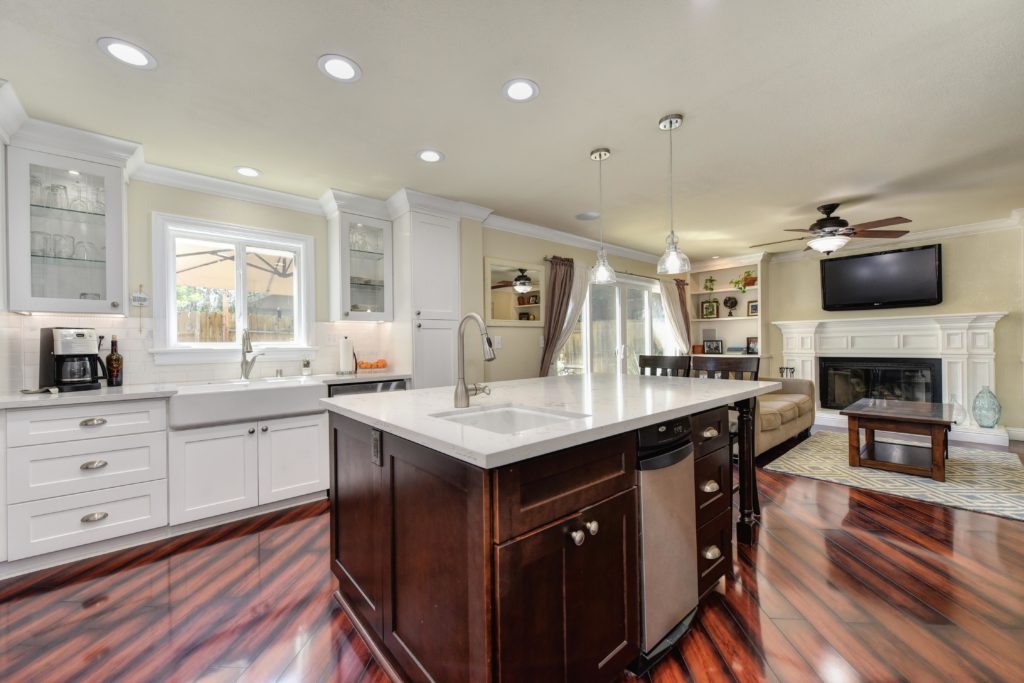
pebble creek rocklin kitchen towards bkyd

Understanding the upfront fees – the appraisal fee will be an upfront fee. The inspections (depends on the area) are often steered by the buyer side with a few exceptions in Northern California for country properties where you sometimes see septic and water tests on the seller. A delay on coordinating any inspections once you’re in escrow (while being mindful of when your inspection period starts and your contingency of purchase form are critical here). If you do not need to start inspections because of the way the COP form (see above) is marked – be mindful of this …

  • Do not wait to order your appraisal or hold off inspections – your delay as a buyer can be self-sabotage and risk a seller issuing a “notice to perform” if you do not hold to your contractual obligation. There will only be so much your lender or agent can do to protect you, if an appraisal review runs late or an inspector can’t accommodate a last minute request, you might be fine and be granted an extension to your contingency period, or you might get a notice to perform and potentially be kicked out of contract.
  • Warning: Contractors and inspectors can be booked out for a week or two, particularly for specialty items, or any testing involved. Some may be free for a bid, but some may cost to you at a cost / fee. This is not the time to be cheap and pass over an inspection which can potentially save you from a costly mistake.
  • Fluid communication and updates between all parties (buyer + seller) we hear way too often, “Wow, you guys are so great at communication.” You MUST be a great communicator and play well with others to have a contingent sale go smoothly. If your agent is only nice to you and not others – some think this is a way to play “hard ball” for sales, but you just have someone has a horrible reputation in town. 
  • If you have a seller credit coming to you as a buyer – be sure to loop in the lender and title company ASAP as this can add a day or two for review (not always, but something you have to be aware of).

ALWAYS have a housing solution, plan B. Your home you’re purchasing may not close on time, and/or life can happen and a deal falls out of place –  be wise and try your best to secure your housing as a back-up plan (rental, staying with family/friends, etc). 

Seller Occupancy After Closing – this has to be negotiated up front during the counter phase and we always suggest a few weeks at least to try and mitigate any delayed closing on any side of the deal(s). It can happen, even on the most perfect of files monitored. There are numerous bodies behind the scenes on loan and this can affect your closing. Along with TRID – be aware of this as a buyer. TRID can delay you alone (see #3 above, last bullet).

  • Most lenders will not allow over 59 days of occupancy by seller after closing, and most buyers aren’t the biggest fans of much of anything past 29 days (if any at all)
  • Education and information is King/Queen. Know your options – we are not asking you to think negatively that it will fail, it’s just planning for all outcomes to the best of our ability.

Sometimes it’s best to take the credit and sometimes it’s important to wait to see request for repairs executed before close of escrow (COE). It depends on the scenario what’s the right route. 

  • If you’re concerned about findings when you open up the roof to do dry-rot or pest work (WDO) – sometimes it’s best to wait and get it done and delay closing and of COURSE this stinks to do, but it could save you thousands if more work that’s needed is uncovered when you open things up. 
  • If you have work being done, as part of your request for repairs – ensure there’s mention of all work being done BEFORE close of escrow.
  • Sometimes it’s best for buyer to take the money credit – to take control of overseeing repairs by their own trusted contractor that way they know who the work is being done by, and may be able to save cost.
  • Ensure that a licensed contractor is doing all work and receipts are provided before COE (close of escrow). There are some of the shenanigans that can occur, so don’t let anyone bully you.

Give us a call for your scenario and we can find out if we’re the right solution for your needs. If we’re not – we’ll get you connected to someone who is the right person for the job! 916-308-2446

footer ostroms coldwell banker realty

REALTORs Steve Ostrom + Heather Ostrom • (916) 308-2446 • Homes@RosevilleAndRocklin.com • Coldwell Banker Realty • 2200 Douglas Blvd Building B, Suite 200, Roseville, CA 95661 • CALBRE# 01344154 • 01899313

TOP 12 Items to be Aware of with a Contingent Purchase Read More »

Smart Home in an Ostrom Home


So maybe you’re new to all the “smart-home” technology. Perhaps it scares or overwhelms you? Welcome to the club, the Ostroms are right there with you … Yes, we’re in California, and sometimes we see a few things sooner than most in seller homes, but let me tell you folks … there’s a good chance your clients know more about smart-home technology, so let’s get you on a quick start on the Smart-Home highway.
Smart-home items are showing up in homes for sale, and if they haven’t yet in your area, I promise you many of your clients are quietly adding these gadgets to the place they call home, even if you’re not seeing these homes on the market. There’s a lot of information out there, so we’re going to do our best to lay down in a blog post (or  two) … how to get smart-home savvy in your house *cue some Miami #GenBlue Memories* with a few tips from us and our buddies.

Pro-tip: before beginning in the adventure of “smart-home” makeovers, and putting a ton of money into a system, be sure your internet is up to speed and working fast enough to support a smart-home network. CNet has a great article to help check your home system and connectivity.


When it came to our house just last year, the only smart home device we had in our house, was a Chrome Melody speaker lightbulb in our bathroom … and we thoroughly enjoy having it. The app for this bluetooth lightbulb speaker is of little use to us (in fact I don’t even have it on my phone). I just sync via “bluetooth” on my phone – it’s nice to have a speaker for our iPhones in our bathroom (and it drowns out our awful voices when we sing in the shower #realtalk).

  • Pro-note: I am starting to notice the failure of many apps for smart home devices, is that they’re buggy and not user friendly in navigation. but let’s be real, it’s the only thing cool in this bathroom … goody gravy, check out those awful 80s lightbulbs behind me, *bless our own hearts.*


So after I got back from “CES” (Consumer Electronics Show) with the Coldwell Banker crew and my good buddy, Roy Powell (see his thoughts on Smart Homes here)I came back to my home in Roseville, with a smart-home fire in my heart and was ready to make the plunge into learning more about Smart-Home tools and slowly start adding items to our home system.

_______________________________________________

So we started out with Amazon’s Alexa (which we had bought for ourselves at Christmas, but we hadn’t done more than plug in Alexa and listen to music).

  • Pro-Tip with Alexa: “Go in the Amazon Alexa App” and play around. See what you can “sync” up with other devices so you can fully utilize all of the skills for maximum enjoyment. She can do SO much – I lurve her.
  • Pro-tip with Alexa: If you have Amazon Prime, have fun with the music,
  • Pro-tip with Alexa: With your iphone, if you want to just play your music on Alexa from your phone, go to “settings,” then to your “bluetooth,” and then select your Amazon component (in our case, it’s “Echo”)
  • Pro-tip with Alexa: Be sure to go into the app and play around the “Smart Home” option in the drop-down menu (see above) and “Skills” to really maximize the fun and usefulness of Alexa.


Our next piece we added was the “Ring” doorbell. I know there are a few options out there, so I encourage you to check for yourself, what’s the right tier of coverage for you, whether standard or pro works better for you … I have a close friend, Denise who loves her “Skybell.”

  • Pro-tip 1. I would also encourage for you to see what angles work for you before installing, particularly if you get direct sunlight to your doorbell. In this case, I’m just lucky that the T-Rex was a friendly one.
  • Pro-tip 2. Also for installing power by using an existing doorbell so it can utilize your current “chime/bell” noise in place, be sure to read the warnings about the power being off, so you don’t fry your system. Otherwise, you’ll be like us, and being forced to buy a supplementary piece called the “Ring ‘Chime’” … which we have and we have it set for cuing any motion or someone physically pressing the door bell button. It’s SUPER cool all the variations you can do from the Ring app on your phone for “motion detected” and separate chimes for “door bell” rings.
  • Pro-tip 3. Great for knowing when packages arrive at your doorstep.
  • Homeowner tip / or nightmare (no judgement) for the Ring Doorbell: “Our kids use the Ring doorbell to call us, and it’s a tool for communication since it’s a two-way microphone.
  • Homeowner tip: “If you have the Chime’ plug-in as your way of hearing the doorbell ring, you can go into the app on your phone and change “motion” notifications and “doorbell” rings as separate sounds (there’s even a ‘dog bark’ option – great for say folks like us, that have chihuahuas, that are probably more like cats, than dogs)

________________________________________

Okay, the next piece, is easily my favorite addition to the home, the Schlage Connect deadbolt … We have three kids, our lives are busy, and we’re REALTORs, our lives are always at a fast pace. This has been the best solution for us … now, there are SO many options for keypad entry, but we went with the highest tier option, because security is important to us (and I feel it should be for everyone when it comes to property access). This one is fingerprint resistant, ANSI Grade 1 (whatever that means), and it will cue me if someone tampers with our lock. But paired up with my “ring” doorbell, I’ll have an image of anyone that should NOT be on our porch. We bought the “Schlage Sense” and we stayed within our “oil rubbed bronze look” of metals we have in the house (yes, this stuff matters) and we already had “Schlage” keys in our house, so we decided to stay with the same key system we had currently in place. We used to do a lot of rekeys so you might as well stick with whatever “key” group you’re already using in your home. We opted to ONLY do the keypad.

  • Pro-tip: 1. Pay your trusted locksmith to help install or just kick down for the professional installation on this one. You want the auto-lock option moving smoothly and clean. Unless you’re a superhuman tech savvy person. If I wasn’t tech-savvy, I would have paid the Amazon technician to install. In our case, we had our locksmith install the key pad/deadbolt.
  • Pro-tip: 2. You’ll need to involve a locksmith if you buy online or if you know how to get the deadbolt keyed to your system.
  • Pro-tip: 3. Stay with the brand of keys you already have in the home (whether Kwikset or Schlage) – so to stay on the same system, work with what you have … or talk to a locksmith before kicking down the big bucks
  • Pro-tip: 4. The app is a bit rough … get a bridge piece that offers an app to house all your smart home pieces (see below)

________________________________________


Okay, we also have a “smart hub” with is Z-Wave compatible (for our deadbolt and some other pieces you may purchase). Don’t let this jargon frighten or deter you – focus my friend, you got this now I have a few buddies that preferred hub pieces to connect a few of their smarthome pieces, but I got this for free when we bought some Samsung appliances, and we have been happy with this little tool, but I can also see why it has a poor rating. End of story, it does the job and I can use this tool to lock my home off-site, I have Samsung smart outlets.

There’s not much to state, but because we have this component, Alexa will interact with our deadbolt (we set up actively in the Amazon Alexa app the SmartThings connection).

  • Pro-tip: 1. There is rarely a passive / automatic set-up in connecting devices to “talk to one another” (example having Alexa “lock the front door” as a taught skill), so you’ll need to play around in the apps, to see how to sync different pieces. It’s not hard, but you do have to have a wee-bit of determination. See some of my screen grabs throughout this post – and hopefully that will give you a leg-up on knowing what to look for …
  • Pro-tip: 2. If you have a deadbolt or pieces that have a “Z-Wave” based smart home piece (Z-Wave is a wireless radio frequency technology that lets devices talk to one another in a connected environment – and Z-Wave is stated to be one of the more secure routes of communication).

So what’s on our wish list for next pieces: we’re going to tackle the thermostat (Nest or Ecobee) and maybe some interior cameras in the house (most likely Nest, if we go that route).


Update (5/5/17)

Wi-Fi Thermostat 9000 Color Touchscreen

We have added a Honeywell Thermostat to our repetoire of Smart Tools and we had a pro install (you should do the same, if you don’t know what you’re doing – and particularly if you need a “C” wire installed – which we did). I’ll be adding more about our addition here shortly – but I’m SO happy with our choice.


 Links to items I addressed in the video and post:

  • Schlage Smart Sense Padlock (there are SO many options between dealers – kwikset, schlage, and more)
  • Ring Door Bell – 1-way wi-fi camera + 2-way speaker
  • Alexa (Amazon)play music, control your smart home, get information, news, weather, and more using just your voice
  • Samsung SmartThings: Hub / bridge (some devices, including some Z-wave using devices, will need a hub – there are many options out there); you can tie in water monitoring devices, alarms, switches, and much more.
  • Chroma Melody Light Bluetooth Bulb: there are so many bluetooth lightbulb out there. Fun product, does have a cap on loudness, LED light, changes colors (I don’t use that), and has an app – I would encourage research.

Suggested Smart Home Components, from friends and other REALTORs:

Top Smart-Home Pieces our Clients and Agent friends have in their home (click the highlighted name to visit their site)

  • Sonos – wireless music system + home theatre (I had no clue what it was either – so don’t sweat – thank you Mel, Michael, and Stacie)
  • Skybell – door bell – 1-way wi-fi camera + 2-way speaker (thanks Denise)
  • Google Wi-Fi (not a smart-home tool) but if you notice that your internet is fast, but your router needs a step-up in it’s game – I’m told Google Wi-Fi is amazing. (thank you Aaron)
  • Google Home: Google’s Alexa
  • Apple Kit: Hub  (be mindful of what interacts and look for the “apple kit” logo to ensure compatiability)
  • Nexia bridge (Z-Wave compatible) hub / bridge / Z-Wave repeater – home connect (thanks Amy)
  • Life360 – from their website, “Life360 runs on your mobile device to allow you to view your family members on a map, communicate with them, and receive alerts when your loved ones arrive at home, school or work.”
  • Piper – works with Life360 and is a home security system
  • Vivint.SmartHome – Total system set-up and integration with different components (thanks CB + Tami) – security, cameras, doorbell, garage, temperature regulation, and more.
  • Simplisafe Alarm System – build your own customized alarm system with varying tiers of coverage, and no long-term contracts. (thanks Carol)
  • Alarm.com multi-use control and alarms system (thanks Ben)
  • Foscam – IP cameras – great for rental properties to see the status off-site – IP Cams (and I saw the quality and it was amazing – even in snowy conditions – even the neighbor makes use of my friend’s camera to watch his property as well; and see how conditions at the property are as far as weather).
  • Canary Cams – waterproof security system, indoor and exterior solutions for wifi cameras; including solutions in areas without wifi. Plus pet-monitoring (thanks Randy)
  • August Locks – doorbell, locks, and a good solution for AirBnB (per their website) – (thanks Randy)
  • Ecobee – thermostat with room sensors (thanks Randy)
  • Nest – thermostat, cameras (indoor/outdoor), smoke + CO detector, and more (thanks Peggy, Jody, and everyone)
  • Lutron systems + smart shadesLutron has light systems, shades (I have seen on a property recently, and they’re amazing). (thanks Stephanie)
  • Crafstman Smart Garage Opener – can be used as a way to provide home access, you know when the garage is up and when. Our friend has it with a keypad and enjoys it – just for knowing “in and out” traffic.
  • Wemo Switch – turn on/off electronics off-site via wifi, and is compatible with most systems – including Android and Apple. ( thanks Randy + Jeremy)
  • Phillips Hue – personal wireless lighting (thanks Randy)
  • AlertLabs (monitoring system) – not sure if Canada support only** – water consumption, leak, and flood monitoring (thanks Melissa)

  • Explore Coldwell Banker Smart Home Blog pieces – explore what already exists at your Coldwell Banker fingertips, re-blog and use the tools your awesome CB team has already produced.
  • CNET – reviews of products and tools: a great place to compare products for smart home products and where to start your research, outside of the awesome Coldwell Banker blog.


CB Agents ONLY: If you watched the video and you’re interested in purchasing the Coldwell Banker “Smart Home Staging Kit” for clients or yourself at a discount:

  • Affiliate CB – login into CB Exchange (and search “Smart Home Staging Kit)
  • NRT offices login to NRT Gateway first, and go to CB Exchange (and search “Smart Home Staging Kit)

If you have any questions – hit us up, or if I typed something inaccurate here – correct me. We’re all here to learn and succeed and we hope you enjoy our research here.

Smart Home in an Ostrom Home Read More »

Best day of the week to list your home for sale

best day of the week to sell your home

Best Day of the Week to List Your Home for Sale

Steve + Heather Ostrom

on Realtor.com Seller Series

Life is all about timing, and it doesn’t change with real estate and listing your home. Each real estate market and area is different, but we have noticed there are definitely better days than others, to list your home. Granted sometimes life doesn’t always play by “ideal rules,” and ultimately, the seller is our boss, so we will always be awesome – no matter what day you’re able to list your home. But if we can have an ideal world, we have strong opinions for homes in Placer County, California to be listed …
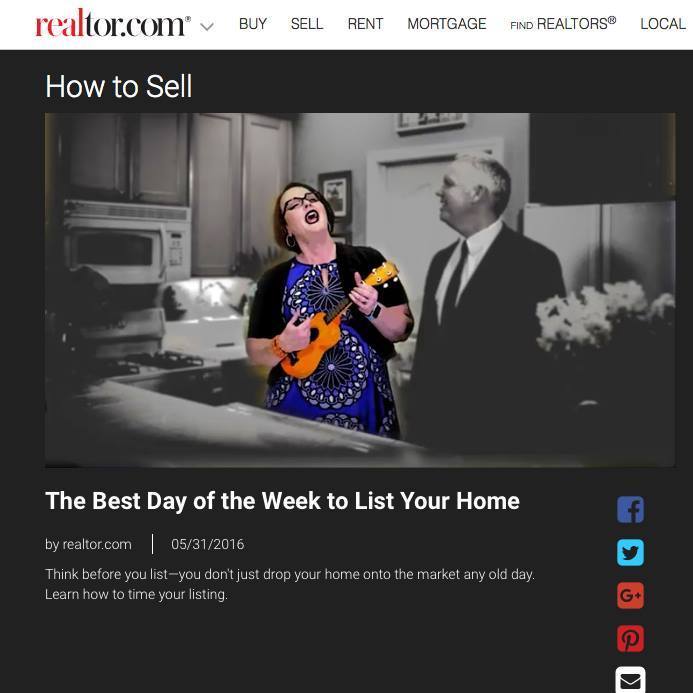
Our why? Well, check our featured video on REALTOR.com “seller advice video” series. And don’t worry, I’m not quitting my day job for any karaoke work.  
 
Along with the three “hot” reasons why in this video, we also have another set of reasons. By default, the offer won’t expire till Monday, unless specifically set to expire before Friday evening. So it gives us a full weekend to be on the market. It’s always nice to have it exposed to the broadest audience, for the largest pool of the best buyers out there – while your home is still “fresh to the market.”
 
Plus, reality check, a lot of folks are on their email – even at work on Friday morning. We like that email showing up in folks’ email boxes Friday morning when they’re setting their schedules.Each home and neighborhood is unique – so let us know if you would like a detailed analysis on your home.

Buyers: Start Your Property Search

Whether you're a contingent buyer or first-time home buyer - let us know how to help. Guide us on: How to Help Tailor Your Property Search, If you Need Lender Suggestions, and How quickly You need to be In Your Home?
steve heather ostrom coldwell banker
CB-Vert-Logo-North-Star-blue

REALTORs Steve Ostrom + Heather Ostrom – 916-308-2446 – Homes@RosevilleAndRocklin.com – Coldwell Banker 2200 Douglas Blvd B-200, Roseville, CA 95661CALBRE# 01344154 + 01899313

Best day of the week to list your home for sale Read More »

Podcast Ostrom Time with Marguerite Crespillo

So we have always been good friends with the awesome Marguerite Crespillo for years, and she has a fabulous real estate podcast “Real Estate Real World.” Marguerite is and has been a top-producing REALTOR and broker in our area, for years. She and her husband Joe, are fixtures in our area, always at Placer County Association and supporting local agents, and their doors are always open to all.

Marguerite is a wealth of knowledge and experience, she’s a real estate trainer and coach, and she loves to help others.

So, what did we cover in our real estate interview podcast? Well you’re going to need to listen in, and hear the scoop! We covered: marketing, in-town behavior philosophies, agent-to-agent interactions, our love of #OstromOrange, why you rarely see Steve O not in a suit, the issue of low inventory (Placer County), and finally … “best tips for any new real estate agents.”
 _____________________________

I truly believe you’ll enjoy, you’ll be educated, and I’m certain you will be entertained, while learning. And we hope you take away a few Awesome Ostrom, RE Nerd Nuggets!

 _____________________________
Quick background on Marguerite: She’s a real estate coach and trainer. On Marguerite’s real estate podcast, she has interviewed Hal Elrod, the awesome Sean Carpenter, Tamara Dorris, Bob Corcoran, and Ryan Lundquist (and many more). Be sure to subscribe to her Podcast channel – I promise you’ll enjoy. And if you’re not a podcast listener, let me tell you – it’s changed my life. Since there’s no visual, you can still do work, walk, exercise, drive, and still listen in … I love podcasts!

I can’t thank Marguerite Crespillo of Realty First in Roseville, CA. Thank you for having us on your show, and I’ll be tuning in and listening to all the back and future real estate episodes. 

 _____________________________
iPhone Users – this is what to look for on your phone 🙂
So listen here – and give us your feedback! We would be honored to have you listen in. (you can listen on the link, and/or go through iTunes and subscribe to Marguerite’s channel). And as my awesome friend and CB trainer, Sean Carpenter always says to all – “Build Relationships, Solve Problems, and Have Fun!” 


Property Questions or Showings? 916-308-2446 – Homes@RosevilleAndRocklin.com – REALTORs Steve + Heather Ostrom
 

See more informative posts at:  www.RosevilleAndRocklin.com – Roseville and Rocklin Real Estate + Lifestyle

Author: Heather Ostrom, Real Estate Marketing – REALTOR

Steve Ostrom, Primary Listing Agent + REALTOR – 916-308-2446 – Homes@RosevilleAndRocklin.com – Coldwell Banker  – Roseville, CA – CALBRE# 01344154 + 01899313 2200 Douglas Blvd B-200, Roseville, CA 95661

Learn more about listing your home with us!


Podcast Ostrom Time with Marguerite Crespillo Read More »

Ostroms Featured on Seller Tips Series for REALTOR.com

Recently we were honored with the opportunity to be part of REALTOR.com’s new “Seller Tips” Video Series under their “News + Advice” drop-down menu on the main site. (“Realtor.com” > “News & Advice” > “Advice” > “Sell”).

We always try to be forward and upfront in our thoughts, with the intent to help our sellers. So we hope you enjoy these videos, and feel free to share the links with friends, that might need some help.

We hope you’re educated on some topics for seller preparation and also that you’re entertained, in an Ostrom-sort-of-way. 

To all the sellers that already know how we are, and love us still – thank you for your support. We wouldn’t be here without you. If you’re new to knowing us, whether virtually or in-person and are looking for someone to list your home – know we’ll always be honest, to the point, and always have the mind-set of having you win in the world of home selling (and hopefully in terms of less time on market and higher-price point).

Thank you for watching and thank you for sharing our “seller conversations” – we have three listed below (with hopefully more to come). If we haven’t answered one of your seller questions – comment below – or call or email us.

Video One: Seller Advice – “Awkward Seller Conversations”

Video Two: Seller Advice –“Smells Don’t Sell”

Video Three: Seller Advice –“Three Things Tall REALTORs See, That You May Not …”

If this is your first time visiting our site – welcome … we’re REALTORs (husband + wife duo) in Roseville, CA at Coldwell Banker Residential Brokerage.

We primarily work with sellers and their listings, and move-up buyers. So we have had a lot of great learning experiences and opportunities to help our sellers. Sometimes it goes well, sometimes it doesn’t – but we’re always learning how to be better. But what we’re not is … we’re never afraid to tackle awkward conversations, if it means our seller having a better opportunity for a better experience with selling (and hopefully maximizing their bottom line, to the best of our ability – we want our sellers to win).


Property Questions or Showings? 916-308-2446 – Homes@RosevilleAndRocklin.com – REALTORs Steve + Heather Ostrom
 

See more informative posts at:  www.RosevilleAndRocklin.com – Roseville and Rocklin Real Estate + Lifestyle

Author: Heather Ostrom, Real Estate Marketing – REALTOR

Steve Ostrom, Primary Listing Agent + REALTOR – 916-308-2446 – Homes@RosevilleAndRocklin.com – Coldwell Banker  – Roseville, CA – CALBRE# 01344154 + 01899313 2200 Douglas Blvd B-200, Roseville, CA 95661

Learn more about listing your home with us!


Ostroms Featured on Seller Tips Series for REALTOR.com Read More »

The Closing Process in Placer County

The process for a home closing in Placer County

Every area has their own procedure with home sales, regarding signings at title (or via notary) and the closing process. This is one of the most confusing topic for buyers and sellers. Below, we’re addressing sales specifically in Placer County, CA. “All-cash” deals will have their own (quicker) timeline, and maybe that will be a topic for another video 🙂 This video applies to buyers with a loan.


You’re not alone if you’re confused on when do you sign paperwork, how does the closing happen, and when do we hand over keys? We will do our best to equip you with all the right information, so you feel as prepared and informed as possible.


More “Closing” Questions Answered

  • Do buyer and seller sit at the same table to sign paperwork? No, they’re typically separate appointments at the title company. In our area, escrow and title are in the same location (much easier). You’re not sitting with the opposite party, signing at the same time.
  • What if I can’t come to the title company? It happens, a notary can come to you, at an additional fee. We usually encourage the buyer or seller, to go to the title company for a signing of final paperwork, but if it’s a “larger brand” title office with multiple branches locally, we can sometimes have you signed, with warning, at a nearby office, if the main title company isn’t convenient to access (example signing in Roseville vs. going to a Sacramento office).
  • Can we schedule our signing in advance? Not always, depends on loan docs arriving at title. Depending on the type of loan, the seller can sometimes sign earlier. But best not to assume, lets have that dialogue in advance, if one seller will be inaccessible – starting to about a week, before closing.
  • What if I can only sign after-hours or on the weekend? If you’re on vacation, or have limited signing capability, let us know and for a small fee, we may be able to have a notary come to you. This can pad a day or two to closing, and if you’re out of the country when loan docs come in, this is definitely dialogue we want to have in advance.
  • When we sign, does that mean we’re closed on the home? No. If the buyer has a loan – it depends on when funding occurs (can be near immediate, immediate, or 24-48 business hours after review). If you’re buyer, have this communication of process, as the lender is at the steering wheel at one point, determining much of these timelines. If you don’t know what questions to ask, we can help you.
  • Why is there a “Final-Walkthrough” by the Buyer? It’s the buyer’s right to ensure the property is in the same condition, as when they went into escrow. Your home is most likely in chaos-mode with packing, so don’t fret, but know that this visit will happen right before closing.
  • When do we turn off utilities? Unless otherwise specified in contract, utilities are to always stay on, until we know we’re going on record / closing that day.
  • How clean does your home need to be? It’s a touchy subject as you can imagine. Do as agreed to, between buyer and seller. When in doubt and a professional clean is requested, it’s not a bad idea to consider hiring who the buyer prefers, to avoid any disputes of “what’s their interpretation of ‘clean.'” We think it’s a good gesture to hire a professional cleaner. Typically, “broom swept and clean” is the asked for item, but expectations are always different from folks.
  • Is it okay if I leave trash on the side yard, or items in the garage or attic? All furniture and personal property, inside and outside the home – MUST be removed. With extra paint that belongs to the house, typically you’re going to want to see a new home owner want to have that … to avoid painful paint-matching, but all other items, when in doubt, ask buyer-side, and don’t make assumptions what’s okay to leave behind.
  • When and how do the buyers get the keys? Keys can be retrieved, the day of closing, by default 5pm. Check your contract first – that’s what determines “what time.” Typically, one key is left in the Metrolist Lockbox, that the buyer’s agent can retrieve at the right time, and hand that key over to the new buyers. If you’re a new homeowner – PLEASE re-key your home, always.
  • Will the sellers leave me items, to help out? If you’re a seller, before closing, ping your agent to share with the buyer-side, all utility info and where you’re storing appliance manuals, extra keys, mailbox key, when trash day is, and any helpful info that might give the new home owners a “leg-up” … the buyers will be grateful.

Property Questions or Showings? 916-308-2446 – Homes@RosevilleAndRocklin.com – REALTORs Steve + Heather Ostrom
 

See more informative posts at:  www.RosevilleAndRocklin.com – Roseville and Rocklin Real Estate + Lifestyle

Author: Heather Ostrom, Real Estate Marketing – REALTOR

Steve Ostrom, Primary Listing Agent + REALTOR – 916-308-2446 – Homes@RosevilleAndRocklin.com – Coldwell Banker  – Roseville, CA – CALBRE# 01344154 + 01899313 2200 Douglas Blvd B-200, Roseville, CA 95661

Learn more about listing your home with us!


Disclosure: Always consult local regulation and your trust real estate agent representing you. All items in the video, and above, are how we would educate our clients here in Placer County. Any financial items, always consult your trusted financial and/or tax advisor.

The Closing Process in Placer County Read More »

Agent Quest Podcast Interview: Conversations that Matter

Hello, this is Heather Ostrom. I specifically handle the marketing for our real estate team, both online, social media, and printed media, as well as handle much of our e-communications online.

Our real estate and community website, we try to provide a specific value for folks we work for and also educating buyers and sellers, and just to elevate our real estate world. We put in long hours, and part of our pride is providing a great service to those we encounter, but also educating those we work with (and even those we don’t work with) … on the “unknowns” of real estate, because it ultimately benefits our entire industry.

In that same light, I think it’s good to be paired up with real estate agents that are educated, experienced, but also are a good fit for you, so today I’m going to share a bit more of me in this post.

Recently I was interviewed by Teri Conrad of Agent Quest on her podcast “Conversations that Matter.” It was a huge honor to even want to be heard, but also was a great “growth session” to share with others past the typical “business environment” conversation. Anyone that knows me personally, knows I’m very open, honest, and hard-working, as is Steve O. We’re not everyone’s “cup of tea,” but we know we’re great for those that appreciate us.

Here’s a snippet from Teri’s website about CTM: Conversations that Matter is a podcast focused on exploring hearty topics for hungry minds. Host Teri Conrad invites leaders, visionaries, authors, executives, innovators, game changers, and philosophers of all levels to create a space where TRUTH is told, perspectives are re-examined and new ideas can emerge.” ~ Teri Conrad 

I think if you are interested, or know me, you’ll enjoy this conversation with Teri. I also encourage you, particularly if you’re a real estate agent, to take the time to “watch” the awesome set of videos on the YouTube channel (my preference to see facial expressions). But there is also a podcast to subscribe to on iTunes.


It’s absolutely fascinating to the workings of successful agents and/or business people, and also see their stories being shared, and seeing their humanity and vulnerabilities exposed. Presented as strengths, in my opinion and absolutely fascinating and refreshing.

I know a few of you have asked to document a “day in our lives” so here’s a inside look to what goes on inside our minds, for those of us in real estate, or work with those in real estate and I hope you enjoy, if not listening to the other talented individuals I’m sharing this space with … such a lovely honor and opportunity.

Thank you Teri Conrad and best of success to “Agent Quest” and “Conversations that Matter.”


I hope you enjoy and I look forward to connecting with you. ~ Heather Ostrom

Ways to Reach Teri Conrad of Agent Quest:
Website: www.AgentQuest.ca
Twitter: @ConvosTMatter  or @TeriConrad – 1-778-887-8374

YouTube channel for “Conversations that Matter”
Subscribe to the Podcast for Agent Quest: Conversations that Matter

Most current episodes: http://agentquest.ca/category/episodes/

More CTM Podcasts / Videos to Enjoy

About our Real Estate Duo – scroll over the “Contact Us” Heather Ostrom, Real Estate Marketing – REALTOR – 916-764-2710
RosevilleAndRocklin@gmail.com or CBPlacerRealEstate@gmail.com
Coldwell Banker – Roseville, CA #CALBRE 01899313

Steve Ostrom, my hubby, is the primary listing agent – all production is housed under Steve.

Agent Quest Podcast Interview: Conversations that Matter Read More »

Agents: ZipForm MLS-Connect – Sacramento Metrolist

For California Agents: Help and Tech Tips – Specifically Targeting the Greater Sacramento Area

Agents, do you ever receive contracts on your listings, with page 10 of the RPA not filled out completely, or even worse, with the wrong information? Well let’s not get stomping mad, let’s solve the problem! It’s so simple, you’ll pinch yourself for not knowing sooner. It’s awesome and there will be no more visual mud on the bottom of your agent shoe (Like that tie-in to my visual above? Nice!)

Does this Make Your REALTOR®s Eyes Twitch? Then Share this Post today and help others stop their RPA eye twitches.

If you’re a visual learner, watch the video below. Steve O does a virtual walk through in ZipForms, of how to get “connected” today. It’s SO simple. If you want to simply read up on MLS Connect, that’s fine too – visit this link below for more info and see which California MLS Groups and AOR (Local Associations) are “connected” www.CAR.org/tools/zipform/mlsconnect

From the California Association of REALTORs ® website: “ZipForm MLS-Connect is a free C.A.R. member benefit. ZipFormMLS-Connect® integrates data straight from an MLS system into a zipForm® transaction. This eliminates the need for double data entry for many fields in a transaction.”

Steve Ostrom and Daniel Allen introduce the new zipFormMLS-Connect® that allows you to integrate data straight from MetroList into a zipForm® transaction. This eliminates the need for double-data entry for many fields in a transaction.” (from Sacramento Association of REALTORs® YouTube Channel)

If you have questions – post a comment below and we’ll be right back with you. Share this post and spread the word about ZipForm® MLS-Connect! There’s so many agents not using this free tool via the California Association of REALTORs® and we need to get the word out.


Property Questions or Showings? 916-308-2446 – Homes@RosevilleAndRocklin.com – REALTORs Steve + Heather Ostrom


See more informative posts at:  www.RosevilleAndRocklin.com – Roseville and Rocklin Real Estate + Lifestyle

Author: Heather Ostrom, Real Estate Marketing – REALTOR

Steve Ostrom, Primary Listing Agent + REALTOR – 916-308-2446 – Homes@RosevilleAndRocklin.com – Coldwell Banker  – Roseville, CA – CALBRE# 01344154 + 01899313 2200 Douglas Blvd B-200, Roseville, CA 95661

Learn more about listing your home with us!

Equal Housing Opportunity

Agents: ZipForm MLS-Connect – Sacramento Metrolist Read More »

Email Etiquette + Creating a Winning Offer Package

Heaven is in the [email] details. 

Email Etiquette + Winning Offer Packages – Helpful tips for Real Estate Agents and Related Industries Wanting to Earn New Business.

Offer Packages, you know we love them. They’re GLADLY part of our daily workings as a real estate agent. Without them, we’re eating top ramen daily, or perhaps having to take a second job. In our case, this is our full-time job as real estate agents in Roseville, CA. Some items mentioned, may only apply to our state (California)

 I always try and think in terms of ease of where to improve my quality of life in my job and at home. I’m not perfect, but I love learning what others think is a great way to work smarter, not harder. So to help elevate the quality of our work world, I’m hoping this post can get either help you, or get you thinking in terms of how we can all help one another. Today I’m going to tackle the art of packaging an offer (in our humble opinion). 🙂

We all have our own individual business habits and personal wishes, particularly when it comes to delivering offer packages. Some wishes are merely for control, and others might be for personal preference. But what we have to differentiate with these “wishes” are, what’s a control and preference. AND what is truly interfering or creating more work for another agent. Why would we EVER want non-verbal cues, to color us, our offer AND clients – so poorly?


Did I just drain another agent’s battery with a large file being opened on the road? Did the agent have to go to the MLS to find my contact info? Did I just write from the bizhub again? DOH!

Frustration By music2work2 • Andrew Mccluskey
music2work2 Andrew Mccluskey

Get on board with better e-behavior. Sure items may seem small and insignificant to you, but when it happens often, it becomes a huge time suck for another when you could have eliminated that issue with just a few words and actions. So here’s my list of helpful “gems” and I probably forgot a few in assembling this list and I would love to hear your helpful-hints too …


Offer Packages – the Good, the Bad, and the Ugly

1. Label your email “subject line” appropriately, AND reference property name

Example: : “Offer – 1234 Main St, Roseville 95678 – Buyer Brown” So when the agent goes looking for my email, they find it easily and perhaps based on “search terms” whether by “offer” and “Property Name.” FYI, a misspelled property address, may mean a missed email for agents. Particularly for agents that receive a high-volume of emails and for those of us that look for emails based on property name. This may be your one client, but when interacting with agents with a team, or multiple clients and listings – be e-courteous. 🙂 Do not send emails with “no subject” line – it’s lazy and all I’m thinking is … “I’m going to become this agent’s babysitter for this transaction.”

Also define in the email “subject line” what it pertains to, example, “request for repairs,” “addendum #1,” etc. When scanning through emails, this helps from opening ten different emails all labeled the same. When the file is closed and you have to go back, you’ll appreciate this two second task.

Consider attachment labeling as well – so each download is known to be what it contains, whether offer, preapproval, etc, and readily references which associated property and buyer. It takes little to no effort and has a high-appreciation return.

Sample Email “subject line” for Offers


2. File size of your email attachments

Biggest reason for being conscious of file size, may not be as obvious – if an agent wants to check the specs of an offer, and they’re on the road (mobile) – a small file size opens quickly on a phone (win). You don’t want to drain a battery for opening your large file-size offer (bad – we all lose). You don’t want to be this person. You know you have been there, opening that huge massive file waiting for it to download, and in the process it took your phone down to “battery funky town.”

One of the most frightening things in real estate – a dead phone battery

It’s not excusable that you’re using your home scanner that creates large files. There are solutions out there to help, heck even an e-fax does a great job with scans and keeps files compact in size. E-fax it to yourself, relabel – and voila – compact and clean file. I know Adobe Acrobat can downsize some files, but it doesn’t always work to reduce enough – particularly if they’re locked e-signed PDFs. And for the love of pizza, do NOT send separate JPEG attachments. One file, one PDF (sometimes with “protected or locked files” you can’t do this). And there’s not one solution, but hopefully we can create less work for one another.


3. Send ONE email with all offer pieces

It’s not impossible, but it’s challenging to receive items pieced back together over three or four emails and creates opportunity for error. Accidents happen, but do your best to send over one concise package offer. When you’re juggling 10+ offers (sometimes more), it’s a set-up for trouble to piece all items over multiple emails. Eliminate the risk.

Another great tool, I encourage agents to spell out the terms of the offer in written form, contained within the actual email. This text should spell out, amount of offer, terms, if applicable, preapproval and who with, and any other details that might help formulate a decision. So that the agent knows what’s going on, without even having to open the attachments. This behavior below, is a HUGE time saver and so appreciated.

This is how we present our offers (also accompanied by an email “story” and details about the buyers that might prove positive for acceptance)


4. Did you READ … the MLS instructions?

It’s a bummer when you take the time to give the answers, but nobody is reading them. It happens to us too, but double-check there aren’t attachments on the MLS. If you’re on the road all day on appointments like Steve often is, there’s that occasional need for a call. Or if the property came on while en route, sure that call is cool and really, calls are always cool with us. But be part of the solution of good communication and doing your research. And admittedly, we have a lot to always improve on ourselves.


5. Do you have your Contact Information in your email (e-Signature)? Did you write from the email you Want to be Responded to?

We’re not wanting to be a detective solely just to call/text or write you as a buyer’s agent – or simply to confirm receipt of your offer. Make sure it’s easy to respond and call you. Write from the email you want responded to, and call from the phone you want to be called back on …  this includes NOT sending emails direct from a “printer or biz hub” (office scanner/printer) where one can’t quickly respond “received” or “ask additional questions via email.” 

Take the extra two minutes to forward to yourself, relabel subject lines and address, and have your e-signature with all of your contact information provided with your offer. We often receive emails from the Bizhub (office scanner / printer) with no contact information, I’m asked to confirm receipt by the buyer’s agent. This is an easy fix, and ways to avoid making it hard to hunt you down as a buyer’s agent.

Our e-signature for our iPhones


6. Be Responsible with Your Client’s Account Information

Every time a file is opened on a desktop, guess where that check or account paperwork is housed … that’s right, on the agent’s computer. This will become a larger issue once banks and groups start thinking in terms of items that are housed on any agent’s computer. Some agents request account items upfront, and with items blacked out, that’s fantastic. Always see offer instructions and send just what’s requested or needed, and still protects your client.


7. Please don’t CC your Buyer on the Email to Us

Unwanted “reply all” situations are often dangerous and not always communication your client had intended come to us. Yep, it happens – so please avoid this … I have seen everyone do this … title, agents, and lenders … no group is guilt-free. It’s a dangerous behavior that can open up unwanted doors of unintentional communication, that was meant just for your eyes only. We should not risk these unwanted and unintentional “reply-alls” situations.


Do YOU have any Gems of Advice to Share? 

Comment below – you’re awesome gems to elevate our industry for everyone. **Keep it kind, as we’re hoping this is a tool of education to improve our workplace amongst agents**

The excitement of Steve O after opening a well-packaged offer


Property Questions or Showings? 916-308-2446 – Homes@RosevilleAndRocklin.com – REALTORs Steve + Heather Ostrom


See more informative posts at:  www.RosevilleAndRocklin.com – Roseville and Rocklin Real Estate + Lifestyle

Author: Heather Ostrom, Real Estate Marketing – REALTOR

Steve Ostrom, Primary Listing Agent + REALTOR – 916-308-2446 – Homes@RosevilleAndRocklin.com – Coldwell Banker  – Roseville, CA – CALBRE# 01344154 + 01899313 2200 Douglas Blvd B-200, Roseville, CA 95661

Learn more about listing your home with us!

Equal Housing Opportunity

Email Etiquette + Creating a Winning Offer Package Read More »