

Roseville has evolved significantly from its roots as a sleepy railroad town. Today, it is a bustling tech and family hub that consistently ranks as one of the most desirable places in California. For many, simply moving to the area isn’t enough; the goal is to put down deep roots by building a custom home that fits their exact lifestyle.
If you are thinking about this path, you likely already know about the “Roseville Advantage.” While neighbors in unincorporated Placer County or Granite Bay deal with PG&E rates, residents here enjoy Roseville Electric. This city-owned utility is a massive long-term cost saver and a major reason why people fight to build inside city limits rather than just outside them.
However, the landscape for building has changed as we moved through 2025 and into 2026. This guide isn’t just about floor plans; it’s a roadmap for navigating the rare vacant lot market, understanding the latest Roseville real estate market trends, and handling the specific regulations that come with being your own boss on a build site.
Step 1: Finding Land in a “Built-Out” City
The biggest hurdle you will face right out of the gate is scarcity. Roseville is largely “built out,” meaning you won’t find hundreds of acres of raw land waiting for development in the city center. If you are looking to build my own home in Roseville, CA, you generally have two distinct paths.
The Infill Opportunity Most true custom builds happening right now are “infill” projects. This involves buying an older, perhaps dilapidated home in established neighborhoods like Roseville Heights, the Themba area, or Old Town, tearing it down, and rebuilding. This strategy places you in the heart of the city, often on charming streets without HOA restrictions, but it requires careful zoning checks. You need to verify setbacks and ensure the lot isn’t subject to restrictive historical overlays.
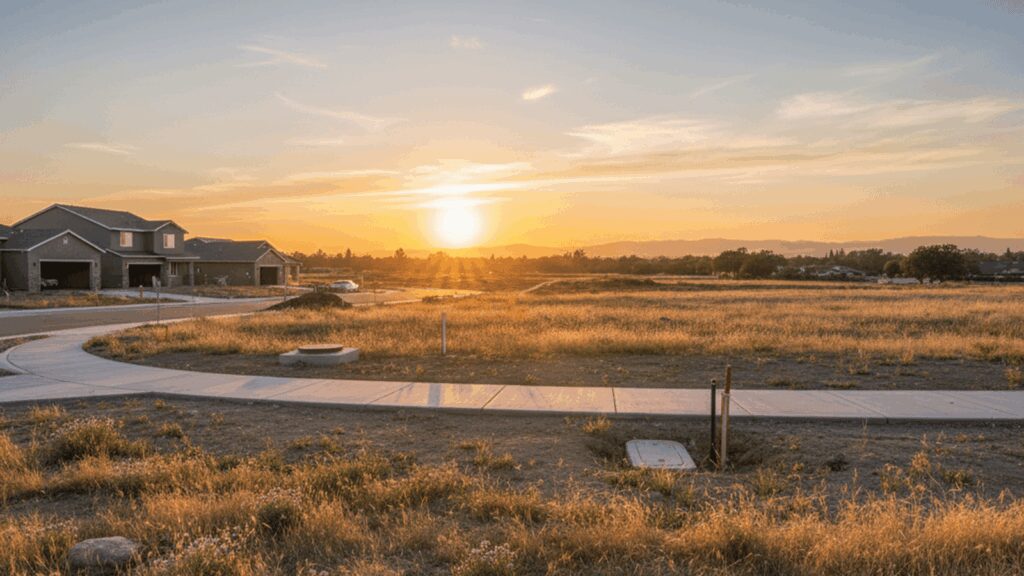
West Roseville vs. Granite Bay If you want a clearer plot of land, you are likely looking toward West Roseville. This area offers a master-planned feel with sidewalks, parks, and newer infrastructure. Contrast this with nearby Granite Bay. While Granite Bay offers rural estates and massive lots, you are trading Roseville Electric for higher utility bills and often dealing with septic systems rather than city sewer.
Before you sign a contract on dirt, check the “Residential Infill” overlays. If you are eyeing a West Roseville lot, make sure you understand what is already stubbed to the property line.
Cost to Build a House in Roseville (2026 Estimates)
One of the most common questions I get over coffee is, “Is it cheaper to build?” The short answer is usually no. Custom builds typically carry a 15–20% premium over buying a comparable resale home upfront. However, that premium buys you energy efficiency and a layout that you don’t have to renovate later.
Hard vs. Soft Costs When budgeting, you need to separate your “hard costs” (bricks, sticks, labor, foundation) from your “soft costs” (architects, engineering, permits). In 2026, material prices have stabilized somewhat, but labor remains in high demand.
What the Numbers Look Like Here is a realistic look at what you might spend per square foot for the build itself, not including the land purchase:
- Standard / Semi-Custom: $200 – $250 per sq. ft.
- Luxury / True Custom: $270 – $350+ per sq. ft.
If you are building a 2,000-square-foot home, the construction costs alone can easily run $500,000 to $600,000. Once you add land acquisition, you are often looking at a total project cost exceeding $665,000. It is vital to understand these numbers early so you can assess the overall cost of living in Roseville CA versus your budget.
Navigating Roseville & Placer County Permits
This is the part where local knowledge really counts. Roseville is efficient, but they are strict. Beyond the standard building and plan check fees, you will encounter “Public Facilities Fees” (impact fees) that go toward city infrastructure.
The School Fee Shuffle Many first-time builders get blindsided by school fees. You cannot just pay these at City Hall. You generally have to visit two separate district offices to pay “Level 1” developer fees:
- Roseville City School District (for elementary/middle school)
- Roseville Joint Union High School District (for high school)
Combined, these fees currently hover around $4.79 per square foot. You must obtain certificates of payment from both districts before the City of Roseville will issue your final building permit.
Design Standards and Fire Zones If you are building an infill home, be aware of the “Objective Design Standards” (ODS) updated in late 2025. These are rules designed to ensure new two-story builds don’t loom awkwardly over existing single-story bungalows.
Additionally, check if your lot is in a Fire Hazard Severity Zone (FHSZ). Even within city limits, certain areas near open spaces require WUI (Wildland-Urban Interface) compliant materials. This might mean you are required to use tempered glass windows and enclosed eaves, which adds to your bottom line. Pre-construction fees alone—permits, impact fees, and school fees—often land between $25,000 and $45,000 for a typical single-family home.
Financing Your Build: Construction Loans
Unless you are sitting on a pile of cash, you won’t be using a traditional 30-year fixed mortgage to build. You need a construction loan. The most popular product right now is the “Construction-to-Permanent” loan, also known as a One-Time Close.
This loan type is excellent because you only pay closing costs once. The loan starts as a line of credit to pay your builder, and once the house is done, it automatically converts to a standard mortgage.
The Financial Reality Check
- Down Payment: Banks are risk-averse with custom builds. Expect to put down 20–30%, especially if the land purchase is included.
- Interest Rates: During the construction phase (usually 12 months), your rate will likely be higher than the standard market rate. For 2026, we are seeing construction rates in the 8.0% – 11.0% range depending on credit and loan-to-value ratios.
- Draw Schedule: You don’t get the money all at once. The bank pays the builder in “draws” as milestones are met (e.g., foundation poured, framing complete).
Choosing a Builder: Custom vs. Owner-Builder
You have a big decision to make: hire a general contractor or manage it yourself?
The Owner-Builder Route Placer County and the City of Roseville allow you to be an “Owner-Builder.” This means you pull the permits and act as the General Contractor. You save the builder’s management fee, but you assume 100% of the liability. If a subcontractor gets hurt on your site or the build fails a code inspection, that is on you. Be warned: many lenders refuse to finance owner-builder projects because the risk of the project stalling is too high.
Hiring a Custom Builder For most people, hiring a reputable local firm is the safer bet. They handle the “Objective Design Standards,” the school fee coordination, and the subcontractors.
The Semi-Custom Alternative If finding a vacant lot feels too daunting, consider looking at new developments in West Roseville. Communities like Winding Creek often offer “semi-custom” options where you buy the lot and home as a package but get to select structural upgrades and finishes.
The Timeline: From Dirt to Keys
Patience is your most valuable asset here. Reality TV makes it look like you can build a house in a few months, but local reality is different.
Pre-Construction (3–6 Months): This phase includes land acquisition, architectural design, engineering, and the permitting process. Getting through the city’s plan check and paying your school fees takes time.
Construction (8–12 Months): Once the shovel hits the dirt, you have grading, foundation, framing, systems, and finishes. Weather in the winter can cause delays, as can material shortages.
Total Time: For 2026, a safe estimate is 12 to 18 months from the moment you decide to build until you move in.
FAQ: Building in Roseville
Can I build an ADU on my property in Roseville?
Yes, Roseville is generally very supportive of Accessory Dwelling Units (ADUs). As long as you respect the setbacks (usually 4 feet from side and rear property lines) and size limits (typically up to 1,200 sq. ft. or 50% of the main dwelling’s size), it is a great way to add value.
How much are school fees for new construction in Roseville?
It is a significant line item. You generally pay a combined rate of approximately $4.79 per square foot. This revenue is split between the elementary and high school districts to account for the impact of new residents on the school system.
Is it cheaper to buy or build a house in Roseville?
It is almost always cheaper upfront to buy an existing home. Building custom usually costs more due to land prep and current labor rates. However, building allows for modern insulation, solar integration, and Roseville Electric optimization that can make the home cheaper to operate monthly.
Does Roseville have Mello-Roos taxes on custom homes?
It depends on where you build. If you buy an infill lot (a tear-down) in an older neighborhood, there is usually no Mello-Roos. However, if you buy a finished custom lot in a newer master-planned community in West Roseville, you will likely have a Mello-Roos tax attached to the property.